
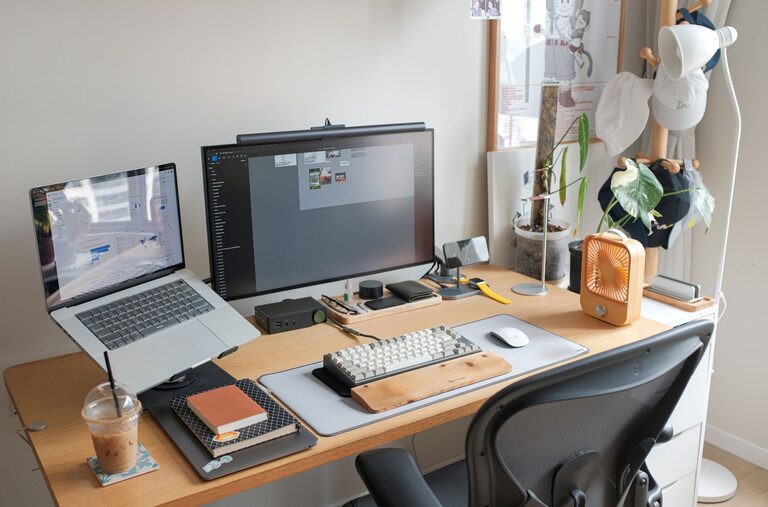
Creating a home workspace that balances comfort and efficiency is essential for anyone working remotely or studying at home. A well-designed space can improve your focus, reduce stress, and help maintain a healthy work-life balance. Whether you have a dedicated room or just a corner in your living area, these tips will guide you in crafting an environment that supports both relaxation and productivity.
Choose the Right Location
Selecting the best spot for your home workspace is the first step. Ideally, pick a quiet area with minimal distractions. If possible, use a room with a door to separate work from leisure zones. Natural light is another important factor—it can enhance your mood and keep you alert. Avoid places with glare on your screen or where you might be interrupted frequently.
Maximise Natural Light
Position your desk near a window to benefit from daylight. If sunlight is too strong, use blinds or sheer curtains to soften it. A well-lit space helps to reduce eye strain and improves overall well-being.
Invest in Comfortable Furniture
Ergonomics plays a crucial role in productivity and comfort. Choosing the right chair and desk can prevent back pain and fatigue that come with long working hours.
Ergonomic Chair
Look for a chair that supports your lower back, allows adjustable height, and encourages good posture. A seat with adequate cushioning and armrests can also help reduce strain.
Desk Height and Space
Your desk should be the right height so your arms rest comfortably at a 90-degree angle when typing. Ensure there is enough room for your computer, documents, and other essentials without feeling cluttered.
Keep Your Workspace Organised
A tidy workspace reduces distractions and makes it easier to focus on tasks. Consider the following:
– Use storage solutions like shelves, drawers, or organisers to keep supplies out of the way.
– Declutter regularly by removing items you don’t need.
– Only keep essential materials on your desk to maintain a clean look.
Cable Management
Messy cables can be distracting and hazardous. Use clips, ties, or a cable box to keep cords organised and out of sight.
Personalise Your Space Thoughtfully
Adding personal touches can make your workspace more inviting and motivate you to spend time there. However, avoid overloading the area with decorations.
– Add a small plant to bring life and improve air quality.
– Hang artwork or photos that inspire you.
– Use colours that have a calming effect, such as soft blues or greens.
Minimise Noise and Distractions
Noise can interrupt concentration, so try to control the sound environment.
– Use noise-cancelling headphones if you can’t change the room’s location.
– Consider adding soft furnishings like rugs or curtains to absorb sound.
– Set boundaries with housemates or family members about your working hours.
Optimise Lighting for Focus
Aside from natural light, good artificial lighting is vital, especially in the evenings.
– Use a desk lamp with adjustable brightness and position it to avoid screen glare.
– Choose bulbs with daylight or soft white tones to reduce eye strain.
Create a Routine and Break Space
Having a separate area to relax helps reinforce the distinction between work and rest.
– Take regular breaks away from your desk to stretch and relax.
– Use reminders to stand up and move every hour.
Incorporate Technology Wisely
Select tools and devices that help you work efficiently without cluttering your space.
– Ensure your internet connection is reliable.
– Keep frequently used tech within reach.
– Use apps and software to aid productivity but avoid unnecessary notifications.
Maintain Air Quality and Temperature
A comfortable temperature and fresh air can boost focus.
– Open a window regularly or use an air purifier.
– Use a small fan or heater as needed to maintain a pleasant temperature.
Final Thoughts
Designing a workspace that promotes both relaxation and productivity doesn’t require a large budget or much space. By carefully selecting your location, investing in comfortable furniture, keeping organised, and personalising thoughtfully, you can create an environment that supports your best work. Remember that your workspace should adapt with you, so feel free to adjust your setup as your needs change.